Dancify
Comparison9 min read
The best apps for dancers in 2026, by what you need them for
Classes, filming, slow motion and mirror, counts and tempo, editing and a diary: the apps that do each job well, checked against their own listings, plus the two old favourites that are gone.
On this page
There's no single best app for dancers, because dancers need several different things: someone to learn from, a way to see yourself, a way to slow things down, the music under control and somewhere to keep it all. Most of us end up with three or four apps. The trick is choosing ones that each do their job well.
Pick by the job you need done. For most dancers in 2026, a good set is:
- Learning classes: STEEZY, or free YouTube tutorials slowed down and mirrored.
- Recording and reviewing your practice: Dancify (iPhone and iPad), or the built-in Camera and Photos apps for the basics.
- Mirror, slow and loop any video: Dance.io, or the player in Dancify for your own takes.
- Coach-style analysis: OnForm.
- Music and tempo: Anytune to slow a song without changing its pitch, a metronome such as Soundbrenner.
- Editing for social: CapCut, Edits or iMovie.
A note on bias. We make Dancify, so we're not neutral. Every claim about another app here was checked against that company's own website or App Store listing on 4 November 2026, and each one gets credit for what it does better than ours. Sources are at the end. We don't quote prices: they change and differ by country, so check the App Store.
How we chose
We looked at what dancers actually do in a week: take a class or follow a tutorial, practise a section until it's clean, film it, watch it back, fix the timing, maybe post it. For each job we asked:
- Does it do the job well? Slow motion that's actually slow, a mirror that's one tap away, loops that are easy to set.
- Is it current? Some well-known apps are gone (more on that below), so every app here was available on the App Store when we checked.
- What does it cost you besides money? Accounts, feeds, ads and what happens to your videos.
- Where does it run? Several dancers in a class rarely share one kind of phone.
Practice apps at a glance
| Feature | We make itDancify | STEEZY | Dance.io | OnForm | Camera & Photos | CapCut |
|---|---|---|---|---|---|---|
| Classes or tutorial library | Bring your own | 1,500+ classes, subscription | Bring your own | |||
| Film your practice | Free, with count-in and Follow | Webcam mirror in class | Next to the original | Free, incl. slo-mo | ||
| Mirror | Free | In classes | Flip, as an edit | |||
| Slow motion playback | Down to 0.25×, frame by frame | Tempo control | Fine scrubbing | Speed as an edit | 0.1× to 100×, as an edit | |
| Loop a section | A–B loop, free | In classes | A–B loop | |||
| Counts or beat overlay | 1–8 on the music, free | Beat overlay | ||||
| Two takes side by side | Premium | Compare | Side by side or overlaid | |||
| Practice diary or calendar | Free | Saved classes | Notes on moves | Camera roll | ||
| Video editor | Free | Markup and voice-over | Trim, speed, crop | Full editor | ||
| Runs on (App Store and web) | iPhone, iPad | iPhone, iPad, Android, web | iPhone, iPad, Mac | iPhone, iPad | Built into iPhone and iPad | iPhone, iPad, Mac |
The best app for each job
-
Best for learning from classes
STEEZY
A library of more than 1,500 online classes and programmes from complete beginner up, in styles from hip-hop, heels and K-pop to ballet, contemporary, jazz, salsa and house. Classes can be mirrored, slowed down, looped by section and switched between front and back views, and on a computer a camera mode shows your webcam beside the instructor like a mirror.1, 2
Keep in mind: it's a subscription, the app is in English, and it's built for learning their choreography, not for keeping your own practice videos.
-
Best free way to learn a routine
YouTube, plus a mirror extension
Countless free tutorials, and the player can slow any video down to 0.25× in a browser and in the iPhone, iPad and Android apps.3 On a computer, a browser extension such as Mirror Videos for Chrome adds a mirror button; its listing is written for "lefties and dancers".4
Keep in mind: YouTube has no built-in mirror, quality varies hugely, and the recommendations are very good at turning practice into watching.
-
Best built-in option
Apple Camera and Photos
Already on your iPhone. Slo-mo records at up to 240 fps on many models, and in Photos you can trim a clip, change which part plays in slow motion, adjust playback speed and flip a video horizontally.5, 6, 7
Keep in mind: no loop, no counts, no live mirror, and practice clips get lost between screenshots and holiday photos.
-
Best for mirroring and looping a reference
Dance.io
A practice player built for copying choreography: A–B loops, speed control, mirror mode, a visual and spoken beat overlay, recording next to the original and a compare view for your own takes against the reference.8
Keep in mind: it's a young app from an independent developer, with subscription and lifetime options; it isn't a diary for your practice over time.
-
Best for coach-style video analysis
OnForm
A sports video analysis app with fine scrubbing and slow motion, drawing and voice-over feedback, and two videos side by side or overlaid. Good if a teacher or coach reviews your videos and sends notes back.9
Keep in mind: it's built for sport in general, not dance, and the plans for individuals and coaches are subscriptions.
-
Best for slowing down the music
Anytune
Changes a song's tempo without changing its pitch, with loops and marks for the section you're drilling. Its listing names dancers and dance teachers among the people it's made for.10
Keep in mind: it works on music files, not video, and it can't play songs protected by streaming services such as Apple Music.
-
Best metronome
The Metronome by Soundbrenner
A clear metronome with time signatures, subdivisions and accents, plus setlists for saved tempos. Useful for drilling grooves, footwork or tap at a steady BPM.11
Keep in mind: it's free to download, with extra features in a subscription (Soundbrenner Plus). It's made for musicians, so there are no eight-counts.
-
Best for editing short videos
CapCut
A full editor with speed changes from 0.1× to 100×, speed curves, keyframes, automatic captions and a large library of music and sound effects.12
Keep in mind: its App Store privacy label says identifiers may be used to track you across other companies' apps and websites, and user content can be linked to you.
-
Best free editor for Reels
Edits by Instagram
Instagram's editor for iPhone, free to download: single-frame precision, automatic captions, green screen and cutouts, recording up to ten minutes and 4K export without a watermark.13
Keep in mind: iPhone only, and it's made with Instagram in mind.
-
Best simple editor
iMovie
Apple's free editor. Trim, split and change clip speed, and put two clips side by side with split screen or in a corner with picture in picture: enough for a simple before and after.14
Keep in mind: no counts, loops or practice tools; it's an editor, not a practice app.
-
Best for recording, reviewing and remembering your practice
Dancify
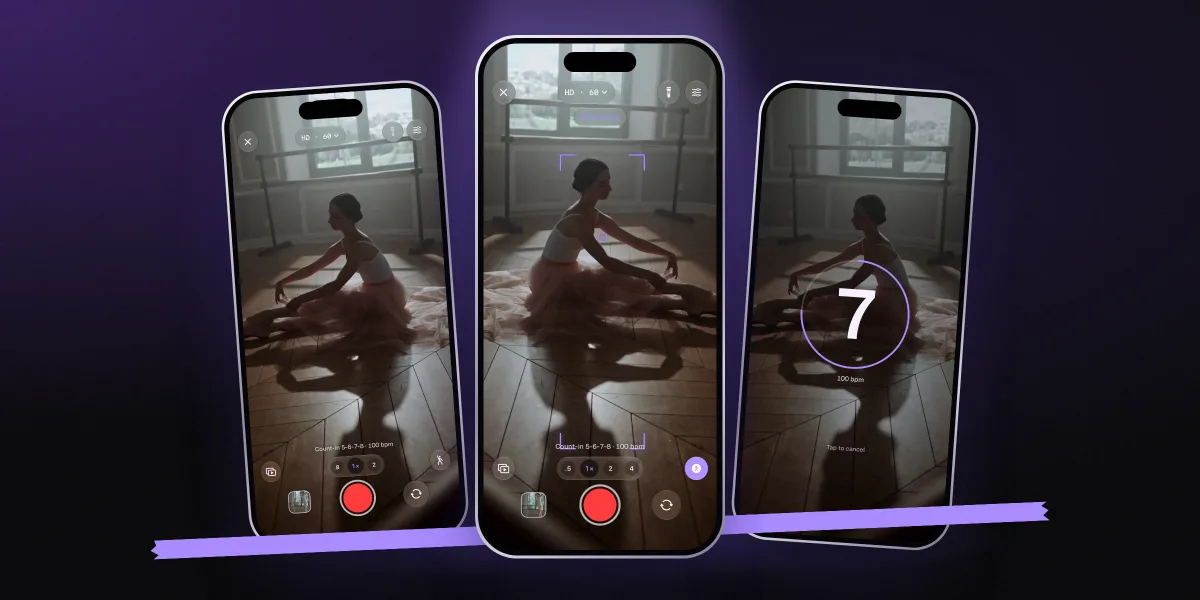
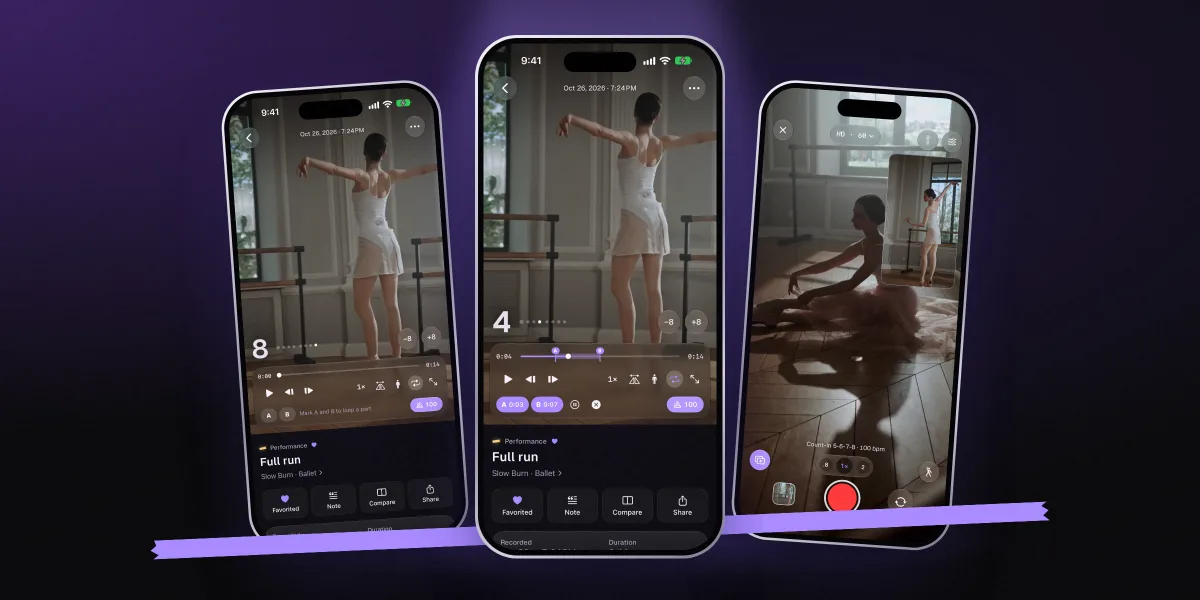
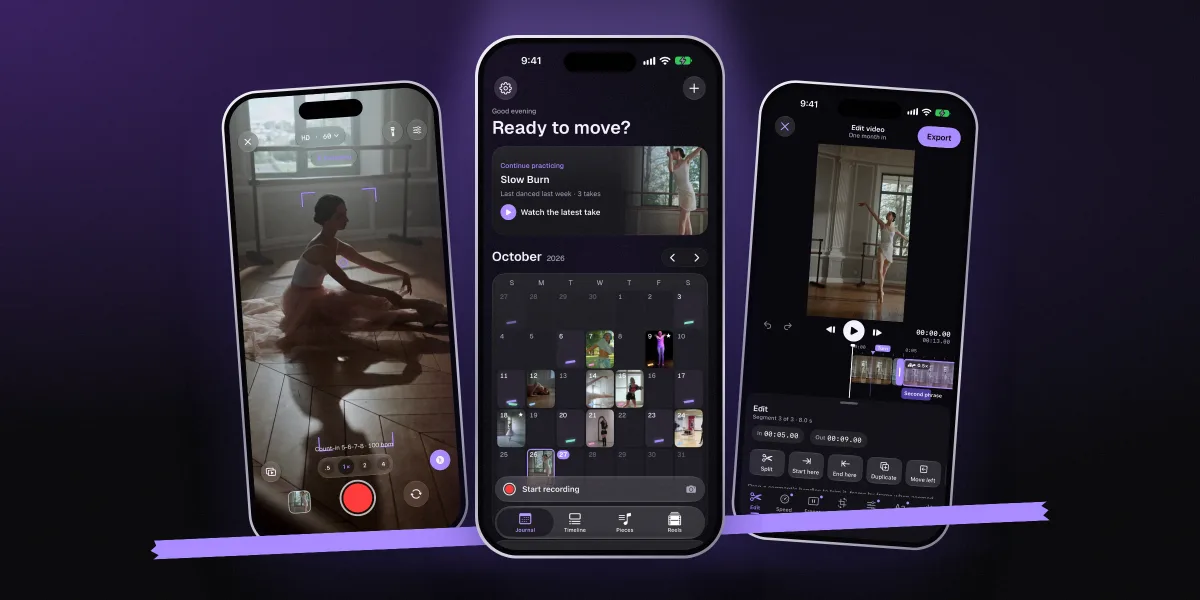
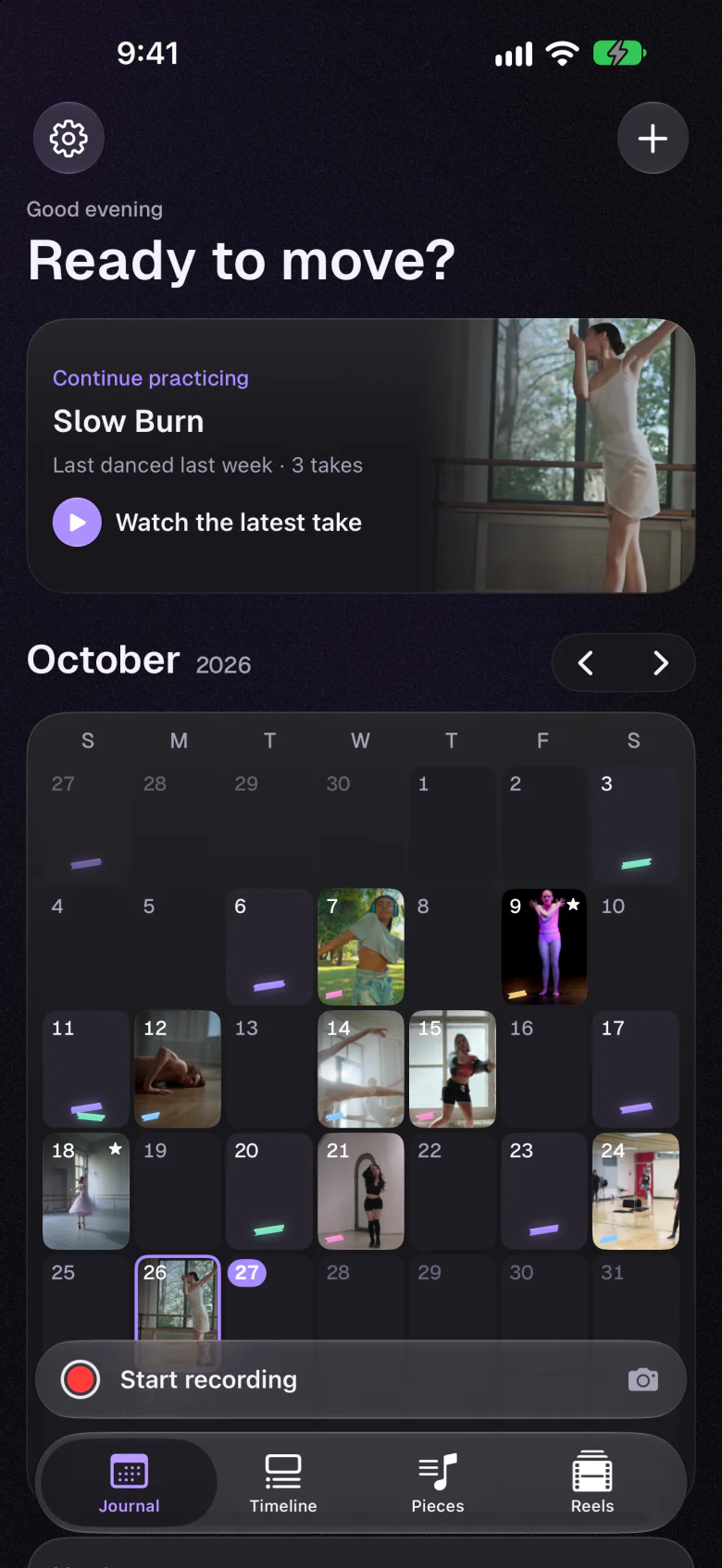
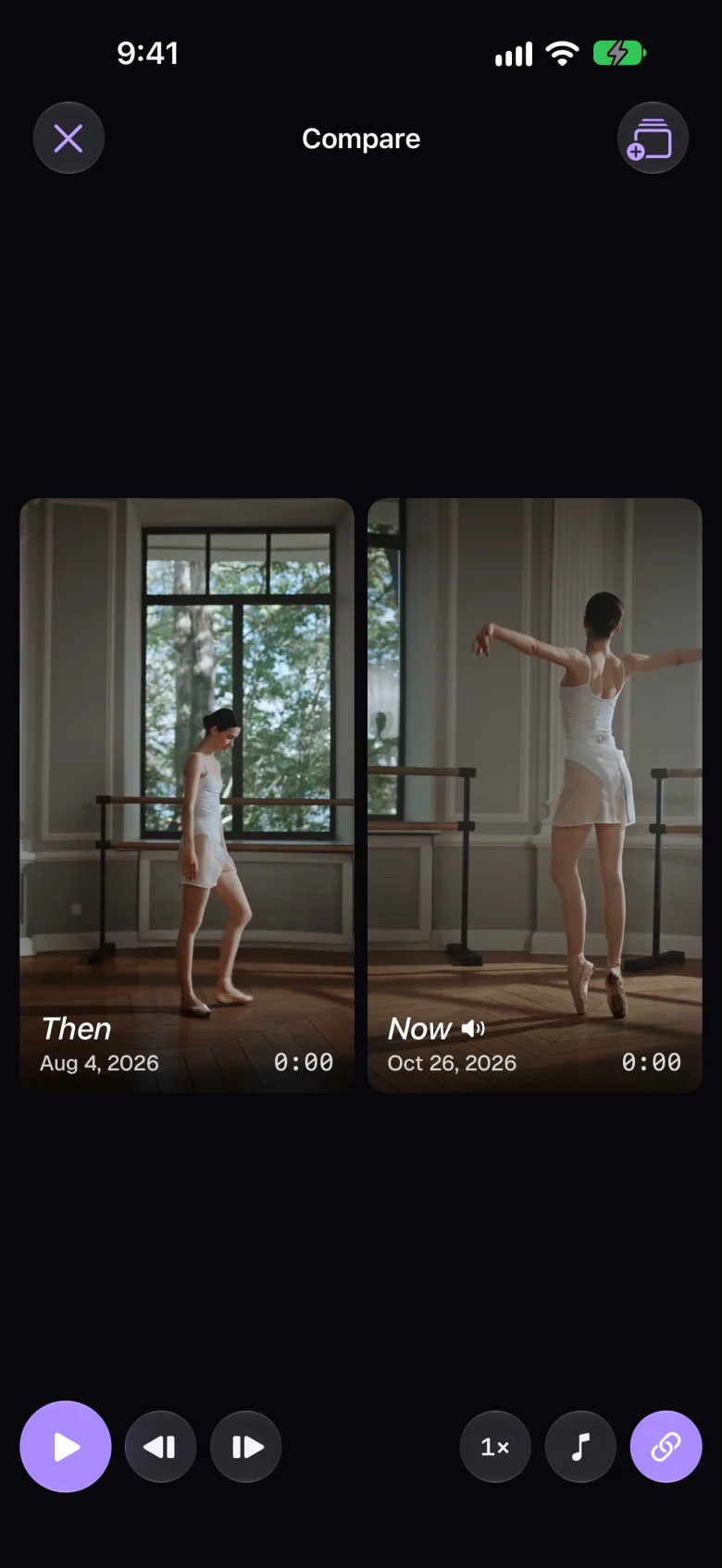
The app we make: a camera, a practice diary and a video editor for dancers, on iPhone and iPad. The camera has a musical count-in, Follow to keep focus on you, a reference video while you film, and slow motion. The player has A–B loops, counts on the music, mirror and 0.25× slow motion. Every take lands on its day in a calendar of frames and on its piece's page. Recording, the diary and the editor are free; Premium adds progress reels, side-by-side compare and a pose guide.
Keep in mind: there are no classes or tutorials, it's iPhone and iPad only, and it's a private tool with no feed or sharing community.
Apps you'll still see recommended, but can't use
Older lists still recommend two video analysis apps that dancers loved. Neither is available any more:
- Coach's Eye has been retired by TechSmith; its website now says it "is no longer a working service".15
- Hudl Technique was sold to the team behind OnForm in May 2021 and discontinued later that year, with a tool to move videos across.16 If you used it, OnForm is its direct successor.
Where Dancify fits, honestly
We built Dancify for the part of practice the other apps leave out: what happens after you've learned the steps. You film, you watch, you fix, you film again, and months later you want to see how far you've come. That needs a good camera, a good player and somewhere the takes don't get lost.
- No account, no ads, no tracking
- Videos stay on your device, or in your own iCloud
It pairs well with the others. Learn on STEEZY or YouTube, slow the song in Anytune if you need to, then film your practice in Dancify with the class video playing as a reference. If you want to post a cover, Dancify's editor handles trims, speed, captions and music, or export the take to CapCut or Edits. More on the practice side in our guides to learning choreography faster and filming yourself dancing.
Dancify: a camera, a diary and an editor
If your camera roll is full of practice clips you never watch again, start here. Film with a count-in, review with loops and counts, and see your progress on a calendar.
- Free camera, diary and editor
- Premium for progress reels, compare and the pose guide
- iPhone and iPad, in six languages
How to choose in two minutes
- Start with what you lack. No teacher? A class app. A teacher but no feedback between classes? A camera and player for your own takes.
- Check your phone. On Android, STEEZY and YouTube work; Dancify and the Apple apps don't.
- Decide where your videos should live. If you'd rather keep practice private, choose an app without a feed or account, and read the privacy label on the App Store.
- Try the free parts for a real week. Three sessions, not one evening. The right app is the one you open before practice without thinking about it.
Questions, answered
What is the best app for dancers in 2026?
It depends on the job. For learning classes, STEEZY. For recording and reviewing your own practice on iPhone or iPad, Dancify. For mirroring, slowing and looping a reference video, Dance.io. For coach-style video analysis, OnForm. For editing short videos, CapCut, Edits or iMovie. Most dancers use two or three of these together.
What app can mirror and slow down dance videos?
STEEZY can mirror, slow and loop its own classes. Dance.io mirrors, slows and loops any video you bring. YouTube slows videos to 0.25× and a browser extension such as Mirror Videos adds a mirror on a computer. Dancify mirrors, slows to 0.25× and loops your own takes.
What happened to Coach's Eye?
Coach's Eye has been retired by TechSmith and is no longer a working service. For coach-style analysis with slow motion, drawing and side-by-side comparison, OnForm is a current alternative; for dance practice with a calendar of takes, loops and counts, Dancify is built for that job.
Is Hudl Technique still available?
No. Hudl sold the Technique app to OnForm in May 2021, and Technique was discontinued later that year. Users were offered a migration tool to move their videos to OnForm.
What is the best free app to record dance practice?
The built-in Camera and Photos apps on iPhone are free and handle slow motion, trimming and flipping. Dancify's camera, practice diary and editor are free too, and add a musical count-in, Follow, loops and counts; only progress reels, side-by-side compare and the pose guide are Premium.
Does Dancify have dance classes or tutorials?
No. Dancify is a camera, practice diary and video editor for your own practice, not a class library. Many dancers learn on STEEZY or YouTube and then film and review their practice in Dancify, with the class video playing as a reference while they film. Dancify is available for iPhone and iPad only.
Sources
- STEEZY Studio website: classes, styles and player features (mirror, speed, loop, camera mode). Checked 2026-11-04. steezy.co
- STEEZY - Learn How To Dance, App Store listing (US). Checked 2026-11-04. apps.apple.com
- How-To Geek: how to speed up or slow down YouTube's playback speed (0.25× to 2×, web and mobile apps). Checked 2026-11-04. howtogeek.com
- Mirror Videos, Chrome Web Store listing. Checked 2026-11-04. chromewebstore.google.com
- Apple Support: record a video with your iPhone camera (Slo-mo frame rates). Checked 2026-11-04. support.apple.com
- Apple Support: trim video length, adjust speed and edit audio on iPhone. Checked 2026-11-04. support.apple.com
- Apple Support: crop, rotate, flip or straighten photos and videos on iPhone. Checked 2026-11-04. support.apple.com
- Dance.io (Mirror & Loop & Slow), App Store listing. Checked 2026-11-04. apps.apple.com
- Onform: Video Analysis App, App Store listing (US). Checked 2026-11-04. apps.apple.com
- Anytune: Transcribe & Practice, App Store listing. Checked 2026-11-04. apps.apple.com
- The Metronome by Soundbrenner, App Store listing (US). Checked 2026-11-04. apps.apple.com
- CapCut: Photo & Video Editor, App Store listing (US), including its privacy label. Checked 2026-11-04. apps.apple.com
- Edits: Video Editor (Instagram), App Store listing (US). Checked 2026-11-04. apps.apple.com
- iMovie, App Store listing (US). Checked 2026-11-04. apps.apple.com
- Coach's Eye: "Coach's Eye has been retired by TechSmith". Checked 2026-11-04. go.coachseye.com
- PRWeb (18 May 2021): OnForm acquires the Hudl Technique application from Hudl. Checked 2026-11-04. prweb.com