Dancify
Behind Dancify6 min read
Why we built a dance practice app with no feed and no scores
Dancers film everything and find nothing. Here's why we built Dancify around the camera and a calendar of frames, the decisions behind it, what we left out on purpose and where we're taking it.
On this page
Dancers film everything. The warm-up, the combo at the end of class, the third run of the piece, the one where it finally worked. Then the clips sink into the camera roll between screenshots and holiday photos, and when you want to know whether your turns have improved since spring, you scroll for ten minutes and give up. Dancify started with that scroll.
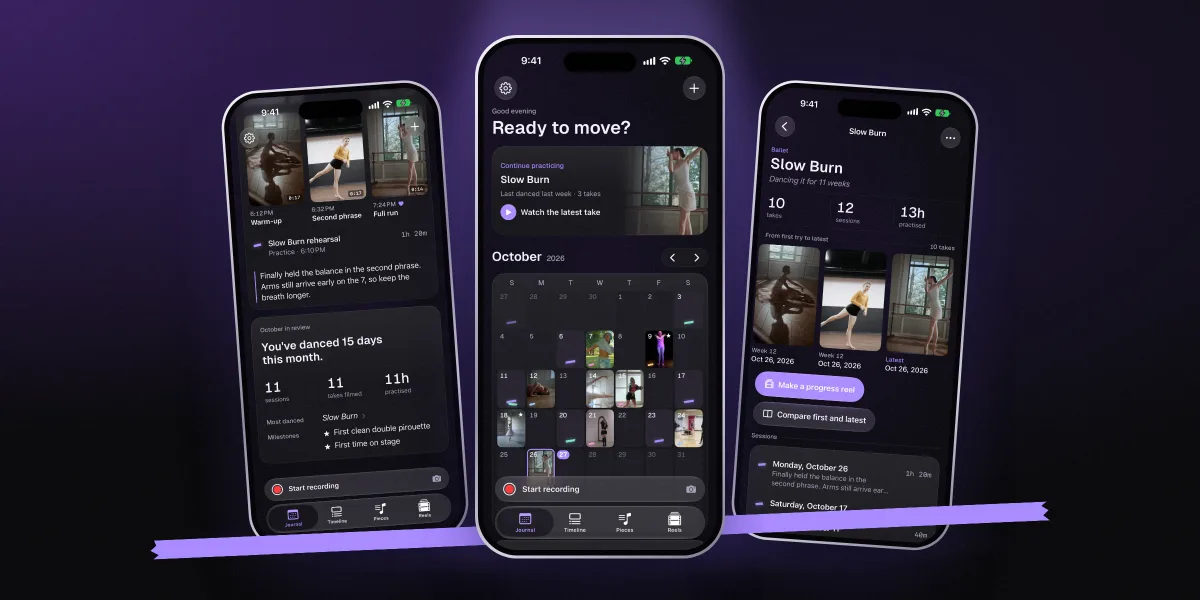
Dancify is a camera, a practice diary and a video editor for dancers, made by AppRise Ventures, a small team in Espoo, Finland. We built it so that every take has a place, you can practise with it as well as record it, and your progress shows up in your own footage.
- The camera, calendar, notes and editor are free. Premium is only for progress tools.
- No account, no feed, no followers, no ads. Your videos stay yours.
- No streaks, no likes and no scores. Practice and memory, not points.
Filmed everything, found nothing
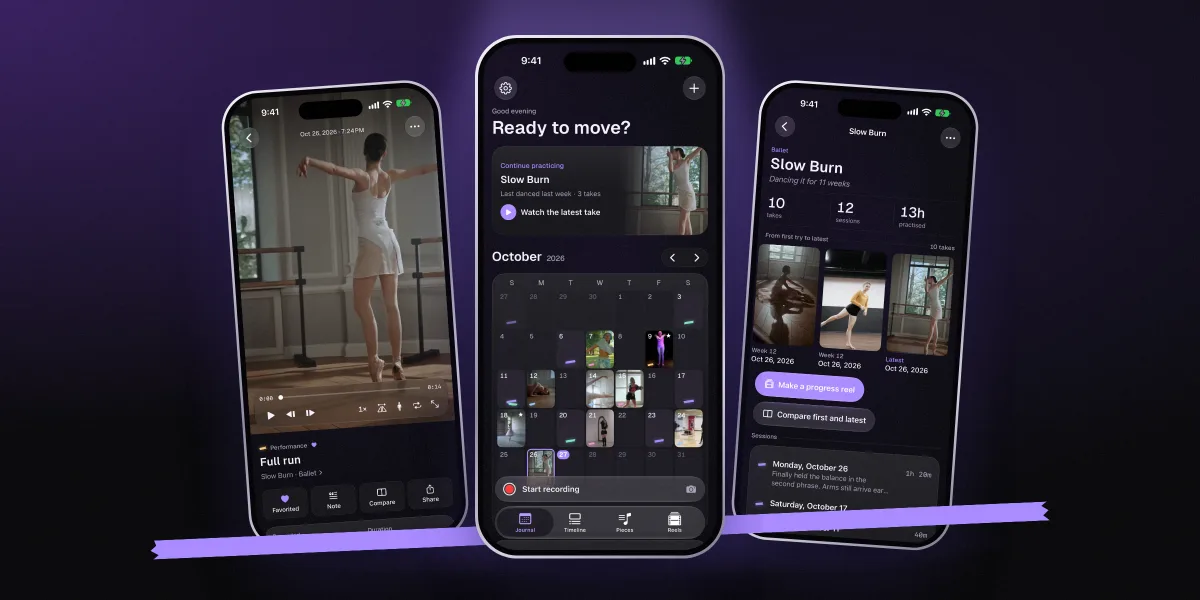
Watching yourself is one of the most useful things a dancer can do. Teachers have known it for as long as there have been cameras in studios, and research on video self-evaluation backs it up.1 Phones made filming free. They didn't make it useful.
A camera roll is built for photos of moments, not for a practice that runs over months. It doesn't know which clip belongs to which piece, which take was the good one, or what you were working on that day. So the most honest record of your dancing ends up as clutter, and the question "am I getting better?" gets answered by feel.
We wanted the opposite: a place where filming practice and remembering it are the same action.
Six decisions that shaped Dancify
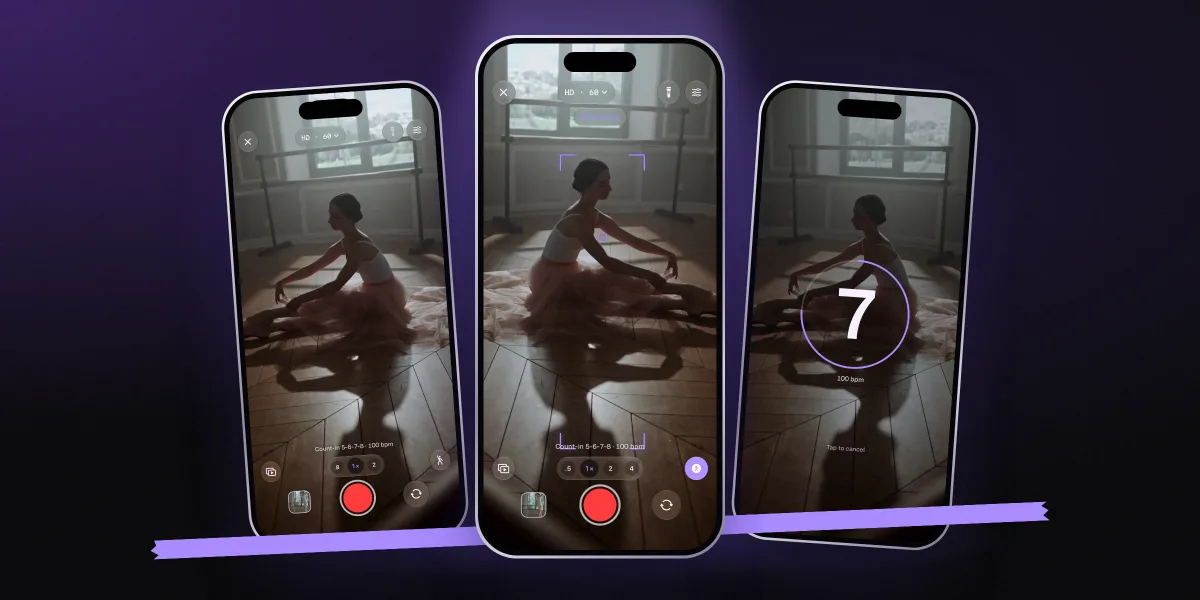
- Camera first Record is one tap away from the calendar, or one sentence to Siri, because a practice diary that needs typing gets skipped. The camera is made for dancing: a musical count-in so you can walk to your mark, Follow to keep focus and exposure on you as you move, slow motion, mirror, and recording from the volume buttons.
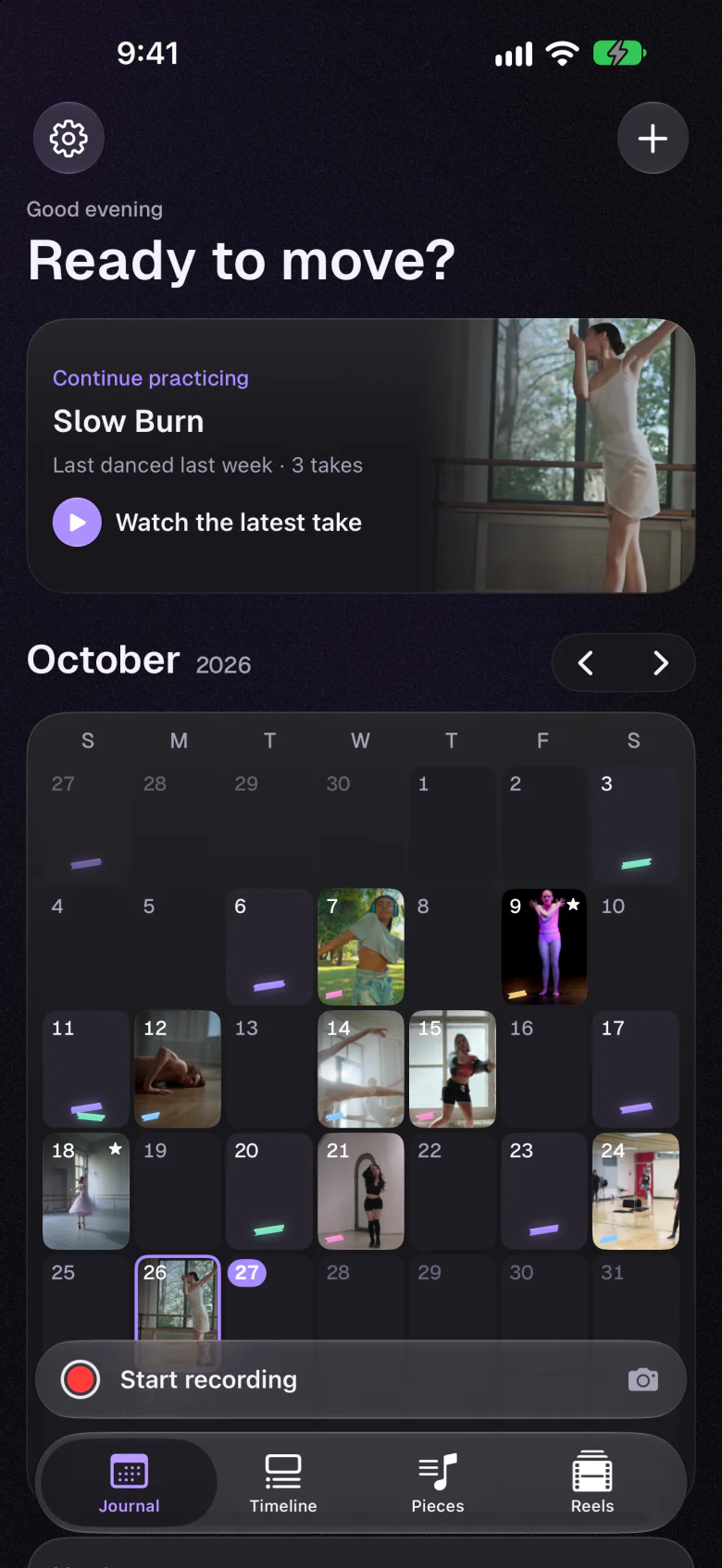
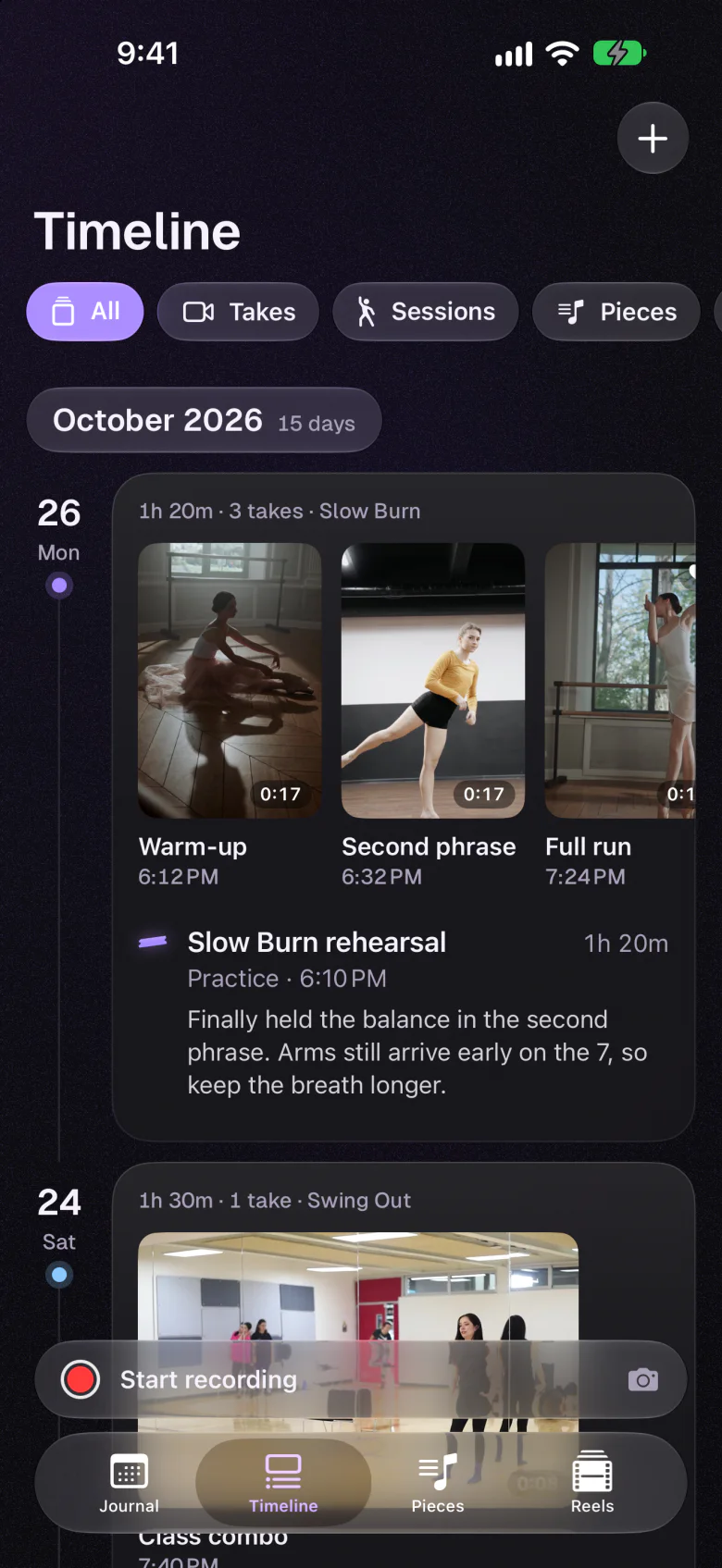
- A calendar of frames Each day in the calendar shows a frame from what you danced. A month of practice looks like a contact sheet, and an empty week looks quiet, never red. Classes and rehearsals without video get logged too.
- Tools for practising, not just recording A reference video while you film, starting on the count-in's downbeat. An A–B loop with an optional eight-count pause. Counts from 1 to 8 laid over the music. These are the things a dancer reaches for in the middle of a session, not afterwards.
- Private by design No account to create and nothing to post. Videos and the diary stay on your device, or in your own private iCloud if you switch sync on, where we can't see them. The App Store privacy label reads Data Not Collected.2
- A free editor Frame-accurate trims, speed changes and ramps, freeze frames, crop and colour, titles, captions, a date stamp and music. Exports become a new take; the original is never changed. Editing your own practice shouldn't cost extra.
- Premium only for progress Dancify Premium adds progress reels (first try to latest, with dates), side-by-side compare and a pose guide. Everything you need to film, practise and keep a diary stays free.
What we left out on purpose
Some features would probably make an app grow faster. We think they would make Dancify worse at its job.
Not in Dancify
- A social feed
- Practice footage is unfinished on purpose. It shouldn't have to be good enough for an audience.
- Likes and followers
- You'd start filming for them instead of for yourself.
- Streaks
- Rest days are part of training. A broken chain shouldn't make you feel you've failed.
- AI scores
- A number can't tell you whether you meant the music. The pose guide draws lines over your body to help you see; it doesn't grade you.
What we built instead
- Your own archive
- Every take on its day and in its piece, and on a timeline you can filter.
- Notes and milestones
- One sentence after a session, a star on the day it clicked.
- Then and now
- Your first try next to your latest, with the dates.
- Sharing when you choose
- Export a take or a reel, save it to Photos and send it where you like.
Progress in dance is quiet. We wanted an app that's quiet too, and then shows you, in your own footage, how far you've come.
Made for every style
A ballet or contemporary dancer can check lines at the barre. A hip-hop, heels or K-pop dancer can loop the eight-count that won't stick. Salsa and ballroom couples can film their basics, and tap and Irish dancers can slow their footwork to a quarter of the speed. The tools are the same; the camera height changes. Our guide to filming yourself dancing covers that part.
It runs on iPhone and iPad (iOS and iPadOS 26 or later), including the iPhone Duo, where the panes sit on either side of the fold. The app speaks English, German, Finnish, Spanish, French and Japanese. Siri and Shortcuts can start a recording, log a practice, open today or show progress for a piece. With an external display or AirPlay, the open take plays full screen on the big screen, which is handy in a studio.
-
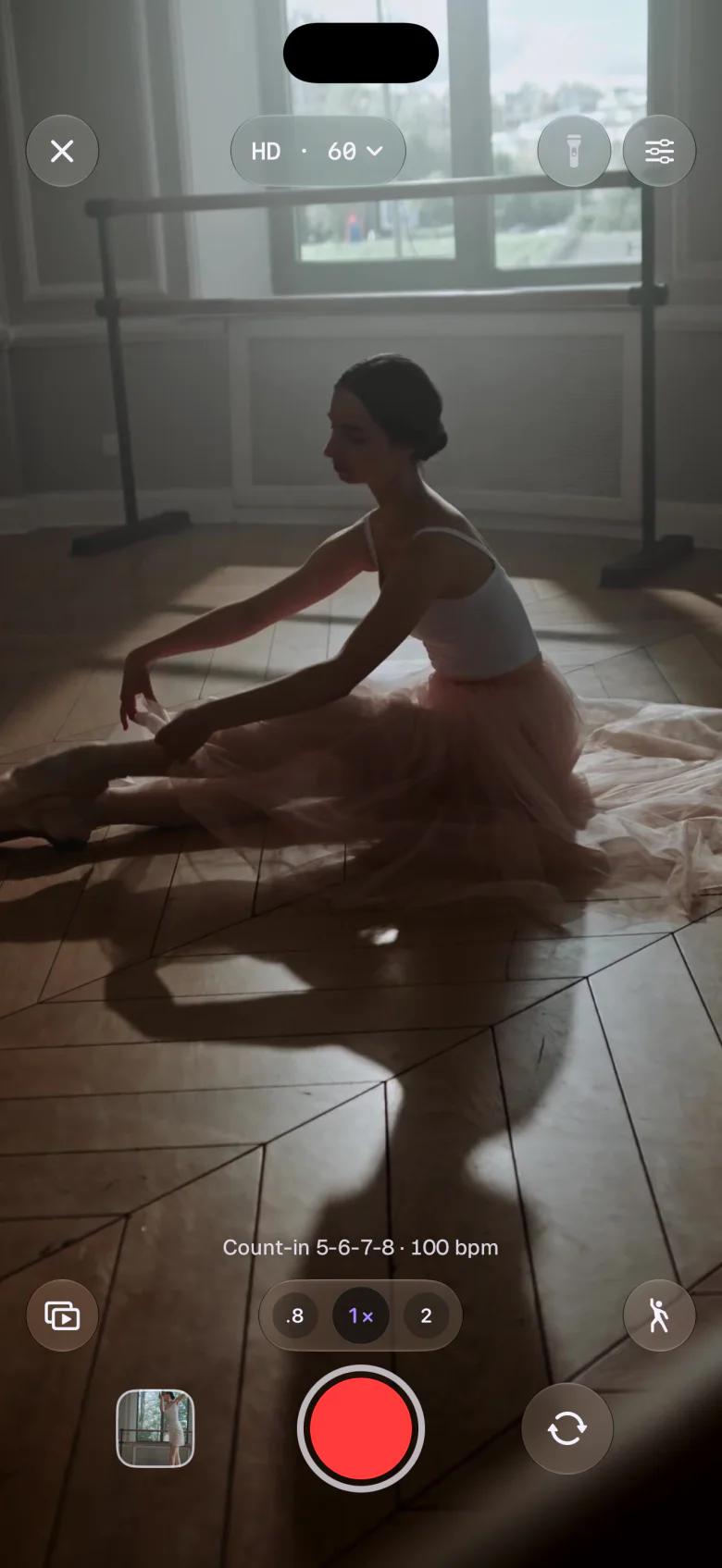
A camera that waits for the countCount-in, Follow, slow motion, mirror, grid and level.
-
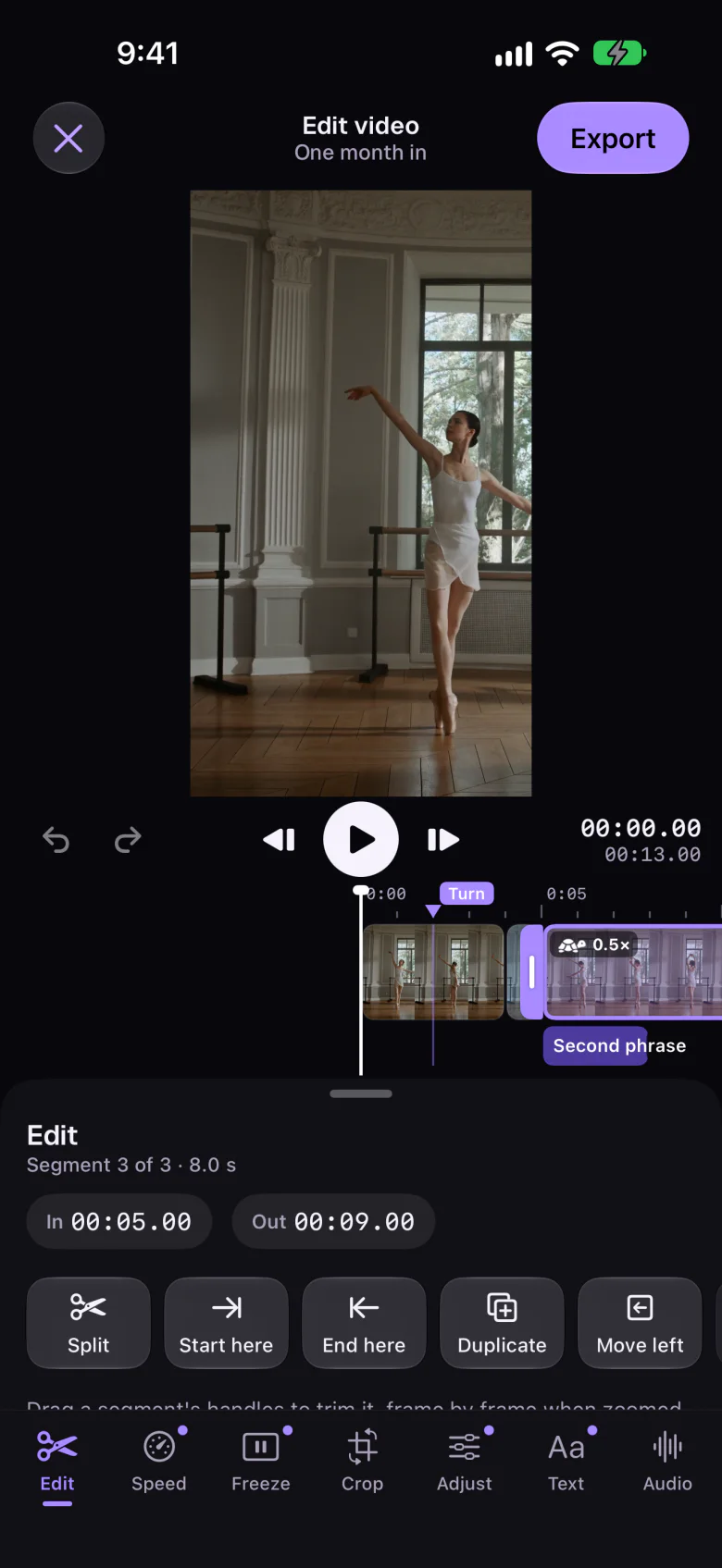
An editor that's freeTrim, speed, freeze, crop, colour, captions and music. The original stays untouched.
How Dancify pays for itself
We're a small company, so we'd rather be clear about this. Dancify is free to download, with no ads and no data to sell. Dancify Premium, yearly with a one-week free trial or monthly, unlocks progress reel export, side-by-side compare and the pose guide. That's the whole business model. If Premium isn't for you, the free app is still a complete camera, practice diary and editor.
What's next
We'll keep refining the core before we add more: the camera, the calendar and the practice tools, shaped by what dancers tell us they need in the middle of a session. The principles won't change: your videos stay yours, practice is never turned into a score, and the free app stays complete.
We won't promise dates we can't keep. We'll write about what we build here on the blog, alongside guides like keeping a dance practice journal and making a progress video. And if something in Dancify feels wrong, or you're missing something, write to us. We read every message.
Film your next practice in Dancify
Hit record, walk to your mark on the count-in, dance. Tomorrow, that day in your calendar will have your frame on it.
- Free camera, diary and editor
- No account, no feed, no ads
- iPhone and iPad
Questions, answered
Who makes Dancify?
Dancify is designed and built by AppRise Ventures Oy, a small company in Espoo, Finland. The app is available for iPhone and iPad, in English, German, Finnish, Spanish, French and Japanese.
What's free in Dancify, and what's Premium?
Recording, the calendar and timeline, notes, tags, milestones, the practice tools (count-in, reference video, A–B loop, counts), the video editor and iCloud sync are free. Dancify Premium, yearly with a one-week free trial or monthly, adds progress reel export, side-by-side compare and the pose guide.
Do I need an account to use Dancify?
No. There's no account, no sign-in and no profile. Your videos and diary stay on your device, or in your own private iCloud if you turn sync on. The App Store privacy label is Data Not Collected.
Does Dancify use AI to score my dancing?
No. Dancify doesn't score or rank dancing. The optional pose guide (Premium) uses Apple's Vision framework on your device to draw lines over shoulders, hips and balance so you can see your alignment; nothing is uploaded and nothing is graded.
Why doesn't Dancify have a social feed or streaks?
Practice footage is meant to be unfinished, and rest days are part of training. A feed would make you film for an audience, and streaks would make a rest day feel like failure. You can still export and share any take or reel when you choose.
Is Dancify available on Android?
No. Dancify is built natively for iPhone and iPad running iOS or iPadOS 26 or later, including the iPhone Duo. There's no Android or web version.
Sources
- Giambrone J, Miltenberger RG (2020). Using video self-evaluation to enhance performance in competitive dancers. Behavior Analysis in Practice 13(2), 445–453. Checked 2026-11-04. pmc.ncbi.nlm.nih.gov
- Apple Developer: App privacy details on the App Store (what counts as data collection). Checked 2026-11-04. developer.apple.com